Everything Plain Statement does, in plain language
Most invoicing tools either bury you in features you'll never use or hide the ones you actually need behind a higher plan. Plain Statement does what a freelancer or small business needs to get paid — and a few things they don't realise they need until an auditor asks. Here's the full list, with no jargon.
Create Invoice FreeCreate — invoices and quotes, in under 2 minutes
Open the page, fill in the details, watch the preview update as you type. Download as PDF, send it, or save it to your account for later.
Live preview
What you type is what your client gets. No surprise formatting, no "save and reload to see the change." The PDF you download is the page you've been looking at.
No account to start
The invoice generator works without an account, without an email address, and without giving us a phone number. Open the page, build the invoice, hit download. Your data stays in your browser.
Quotes with a clean lifecycle Paid
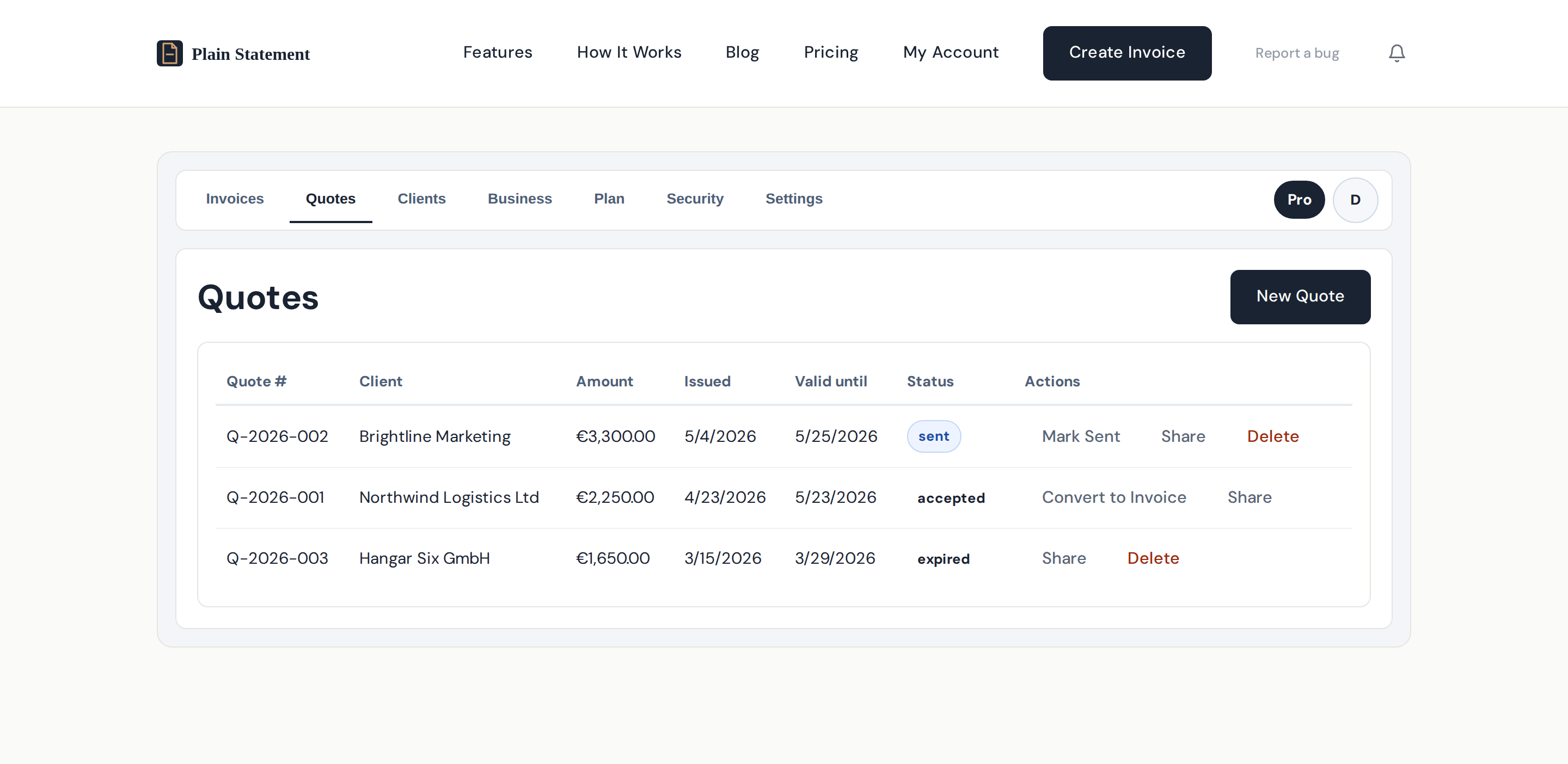
Send a quote, let the client accept or decline online, and convert an accepted quote to an invoice with one click. Quote numbers run on their own per-year sequence (QUO-2026-001, -002), independent of your invoices, so your invoice numbering stays clean even if a quote never gets accepted.
Recurring invoices Paid
Set the cadence once for a retainer, a monthly maintenance fee, or a quarterly subscription. Plain Statement creates the next invoice on schedule. You review and send — nothing goes out without you seeing it.
PDF receipts Paid
When an invoice is marked paid, Plain Statement generates a matching receipt PDF — the kind of document a client's accounts department asks for at year-end and you usually have to make from scratch.
Follow up without nagging
Chasing overdue invoices is the single most demoralising part of freelancing. Plain Statement does the chasing for you, in a tone you'd be happy to have your name on.
Overdue reminders Paid
Trigger a polite reminder with one click when an invoice goes past due. The text is professional and easy to edit. Paid plans include 250 sends per month.
Automatic overdue reminders Paid
Plain Statement sends reminders on the schedule you set — typically a gentle first nudge, a firmer second, and a formal third with the statutory late-fee notice. Configure once and stop thinking about it. Pro includes 250 sends per month, automatic reminders included in that allowance.
Reminders that respect "they already paid"
The moment an invoice is marked paid, scheduled reminders stop. No awkward "we notice your invoice is overdue" email after the client has already wired the money.
Stay on top of cash flow
A list of invoices isn't a business view. Plain Statement turns the same data into something you can plan a month around.
Dashboard summary
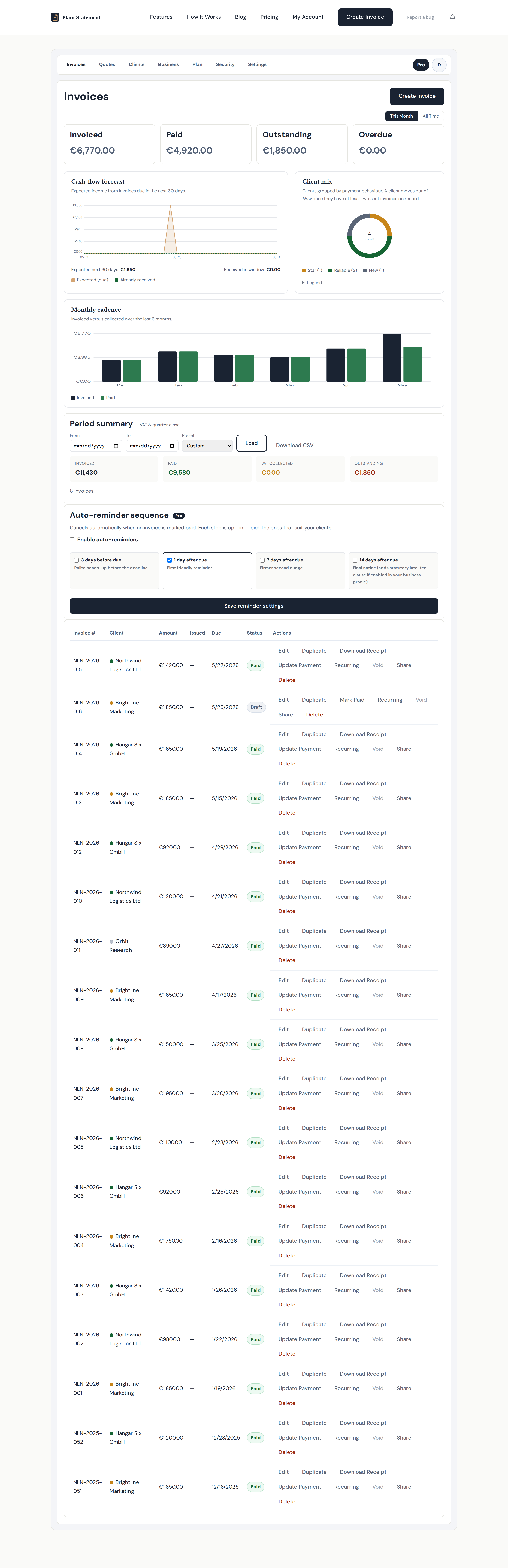
One screen with the numbers that matter: invoiced this period, paid this period, outstanding, overdue. No clicks needed to see whether the month is on track.
Cash-flow forecast
Based on what's been invoiced and when it's due, Plain Statement projects the cash you can expect to land in the next 30 days. Overlay that against your fixed costs and you have a real planning view, not a guess.
Client mix & monthly cadence
See which clients are paying the bills and which months are flat. The honest version of "how's the business doing?" — not the one you tell yourself, the one the numbers tell you.
Tags that surface what matters
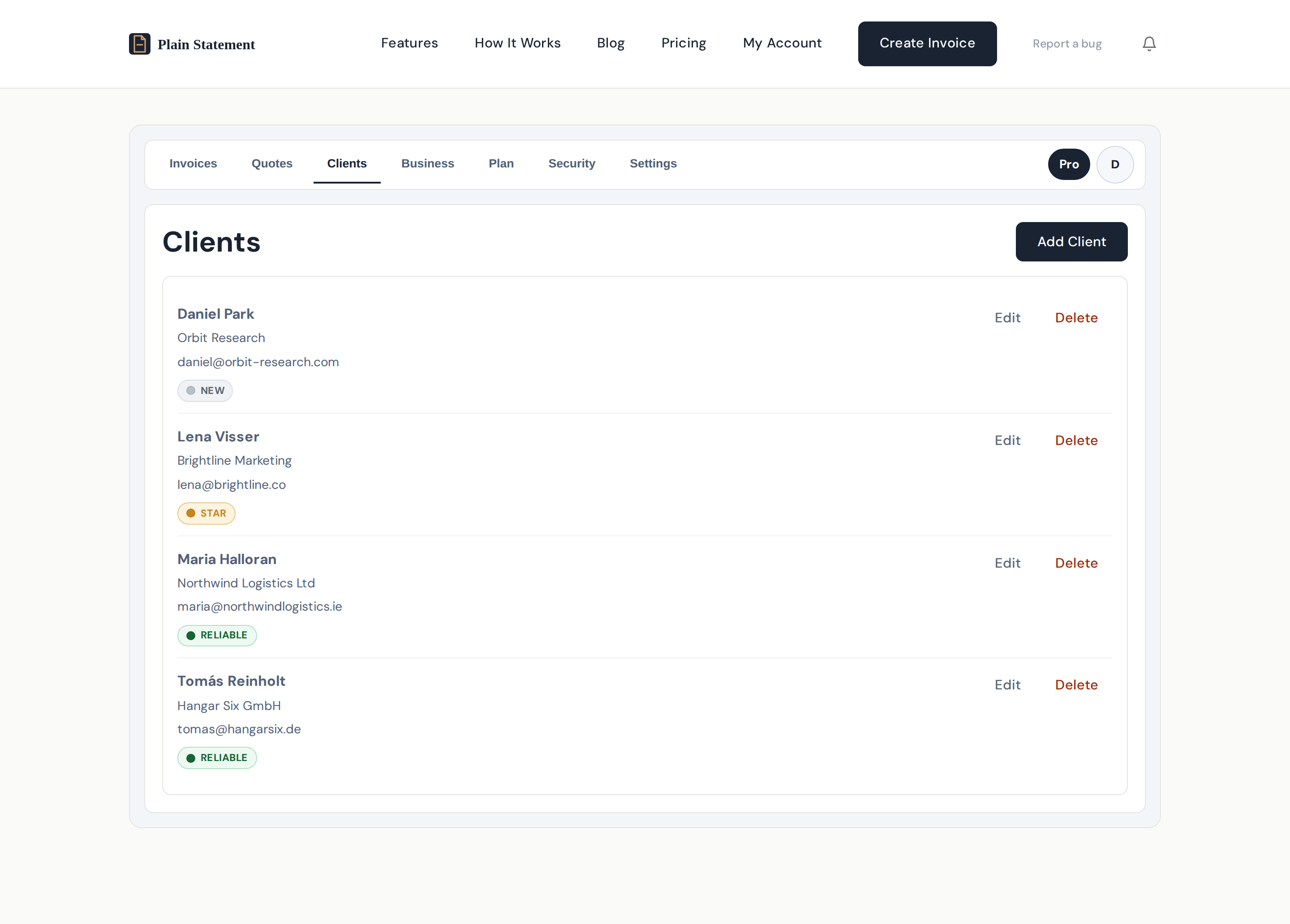
Clients are auto-tagged NEW, SLOW, or your own tags. SLOW catches the ones who consistently pay late so you can adjust terms next time around.
EU VAT & audit-ready records
The compliance stuff most invoicing tools either skip or sell to you as a separate "Pro Plus" plan. Plain Statement bakes it in.
EU VAT (VIES) validation Paid
Enter a client's VAT number and Plain Statement checks it against VIES — the official EU registry — before you send the invoice. If the number is invalid or expired, you'll know before the client does.
Reverse-charge clauses for 15 EU jurisdictions Paid
When you invoice a VAT-registered client in another EU country, the reverse-charge clause is applied automatically, in the right language and with the statutory wording that jurisdiction expects. No copy-pasting Latin from a tax forum at 11pm.
Tamper-evident audit ledger Paid
Every invoice you send is locked the moment it leaves your account, snapshotted into a chain that can be checked end-to-end. The day a tax authority asks, the answer is one file. How the ledger works.
Downloadable audit pack Paid
One file with every sent invoice, the chain that links them, any drift detected, any missing numbers, and a recipe your accountant can follow to verify it for themselves. They don't need a Plain Statement account.
Run more than one business
If you wear two hats — freelance work plus a side studio, or a personal name plus a registered company — you shouldn't need two subscriptions.
Business profiles
Switch between business identities in your account: separate logos, separate addresses, separate VAT numbers, separate invoice number sequences. Each profile keeps its own audit ledger, so the trail stays clean for each entity.
Client book Free
Save a client once and their details are a click away forever. Free supports up to 50 clients; paid plans up to 1,000. Unlinked recipients from past invoices can be imported into the client book in bulk — Plain Statement surfaces them with a one-click Import button.
Business profile defaults
Set your default payment terms, late-fee policy, and footer notes per profile. New invoices pick them up automatically — you only override when the deal calls for it.
Privacy & account safety
Your invoicing data is sensitive. Plain Statement treats it that way.
No tracking on the free generator
If you use the free invoice generator without an account, your invoice data never leaves your browser. We don't see it, we don't store it, we couldn't hand it over if asked.
Active session control
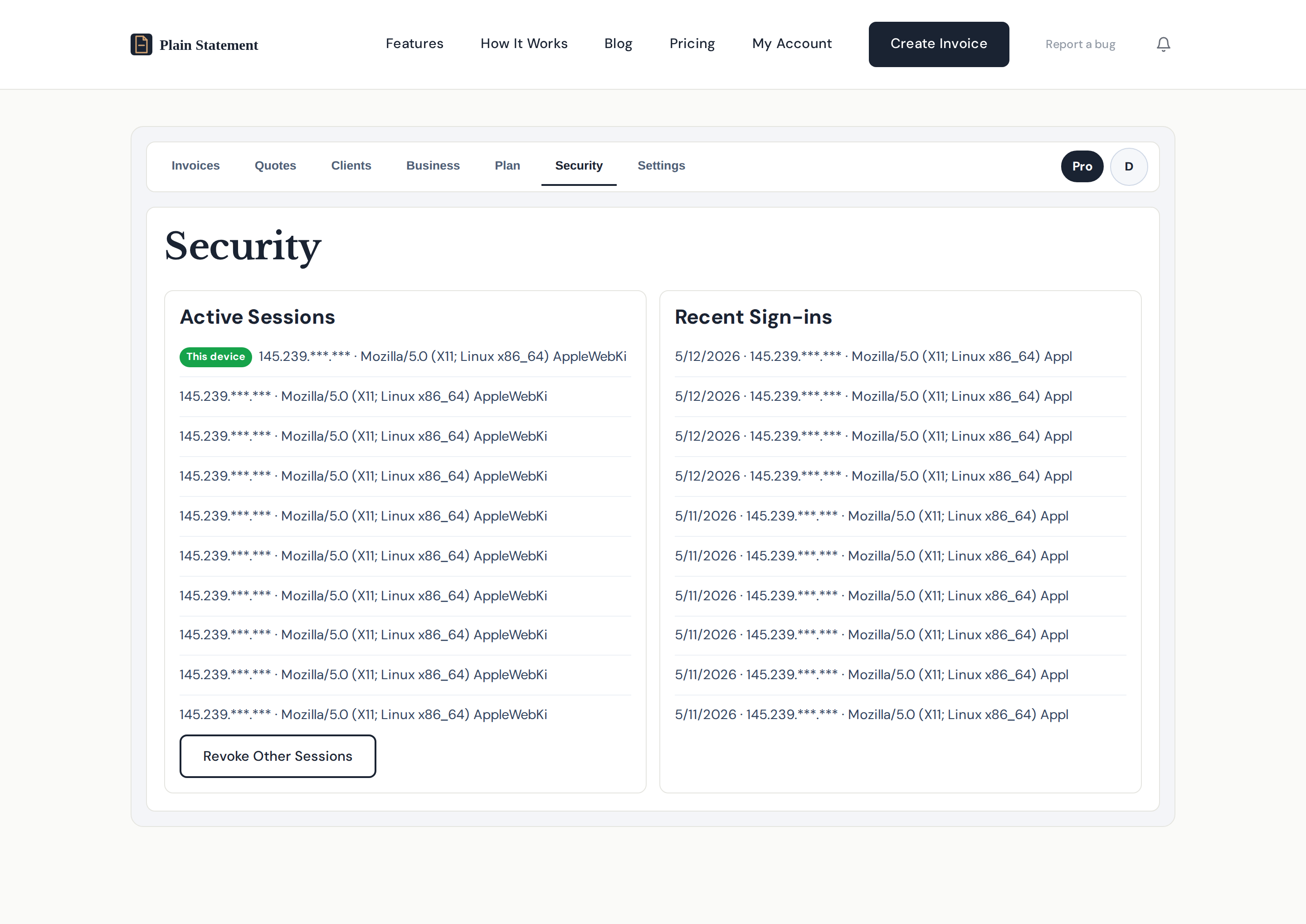
See every device currently signed in to your account, with the location, browser, and last activity. Revoke any session in one click — the kind of thing you want when you realise you've left a session open on a client's laptop.
Recent sign-in history
A rolling log of recent sign-ins, so unfamiliar activity is obvious before it becomes a problem.
How Plain Statement compares
If you're already using Wave, FreshBooks, or Invoice Ninja and wondering whether the switch is worth it, here's a like-for-like read. Plain Statement is built for European freelancers and small studios first — so the gaps cluster around EU VAT, audit-readiness, and the no-account starting point. Big incumbents win on accounting modules; we're not pretending to replace those.
| Capability | Plain Statement | Wave | FreshBooks | Invoice Ninja |
|---|---|---|---|---|
| Lowest paid plan | €5/month · or €35 once, lifetime | Free in US/CA; paid only elsewhere | ~$19/month (Lite) | Self-host free; ~$10/mo cloud |
| No-account invoice generator | Yes — live preview, PDF download, no email needed | No | No | No |
| EU VAT (VIES) validation | Yes | No | Manual — VAT fields, no live VIES check | Manual — VAT fields, no live VIES check |
| Auto reverse-charge clauses (15 EU jurisdictions) | Yes | No | No | No |
| Tamper-evident audit ledger (hash chain) | Yes — every sent invoice is locked | No | No | No |
| Independently verifiable audit pack | Yes — JSON, accountant verifies offline | No | No | No |
| Quotes with online accept/decline + one-click convert | Yes | Yes (estimates) | Yes | Yes |
| Share by private link (no recipient account) | Yes | Yes | Yes | Yes |
| Recurring invoices | Yes (Paid) | Yes | Yes | Yes |
| Automatic overdue reminders | Yes (Paid) | Yes | Yes | Yes |
| Full accounting / bookkeeping module | No — invoicing only, by design | Yes | Yes | Partial |
| Payment processing built in | Yes — Stripe payment link on invoice | Yes | Yes | Yes |
| No-tracking, no-account privacy mode | Yes — generator data stays in your browser | No | No | If self-hosted |
Comparison based on each provider's publicly available product and pricing pages, last checked 2026-05-11. Wave's free plan currently applies in the US and Canada; non-North-American customers are on paid plans. FreshBooks Lite starts at roughly $19/month and includes 5 billable clients. Invoice Ninja is open-source and can be self-hosted at no cost; the cloud-hosted plan is roughly $10/month at entry. Plans and feature availability change; verify against the source before deciding.
What's free, what's paid
Free — the invoice generator works without an account: live preview, PDF download, no save, no email send, no client book.
Free account — save up to 50 invoices, send by email (50/mo), a client book of up to 50 clients, and business-profile defaults.
Freelancer — €5/month — up to 1,000 invoices and clients, quotes & one-click convert, share by link, email sending (250/mo), overdue reminders including automatic (250/mo), EU VAT validation, audit ledger and audit pack, recurring invoices and PDF receipts.
Business — €35 once — every Freelancer feature, as a single payment for lifetime access. No subscription.