How Plain Statement actually works
No demo to book, no sales call, no 14-day trial that mysteriously becomes a paid subscription. Open the page, build the invoice, send it, get paid. Here is the full path — from the first thirty seconds to the day your accountant asks for the audit pack — in plain language.
Create Invoice FreeOpen the page and start typing
The free invoice generator opens to a working document. No empty state, no "create your first" button, no setup wizard. You can see the layout immediately. Type your business name and it appears on the invoice. Add a client and their details. Add a line item. The total recalculates the moment you change anything.
If you only need one invoice today, you can stop here. Download the PDF and you're done. The data never left your browser.
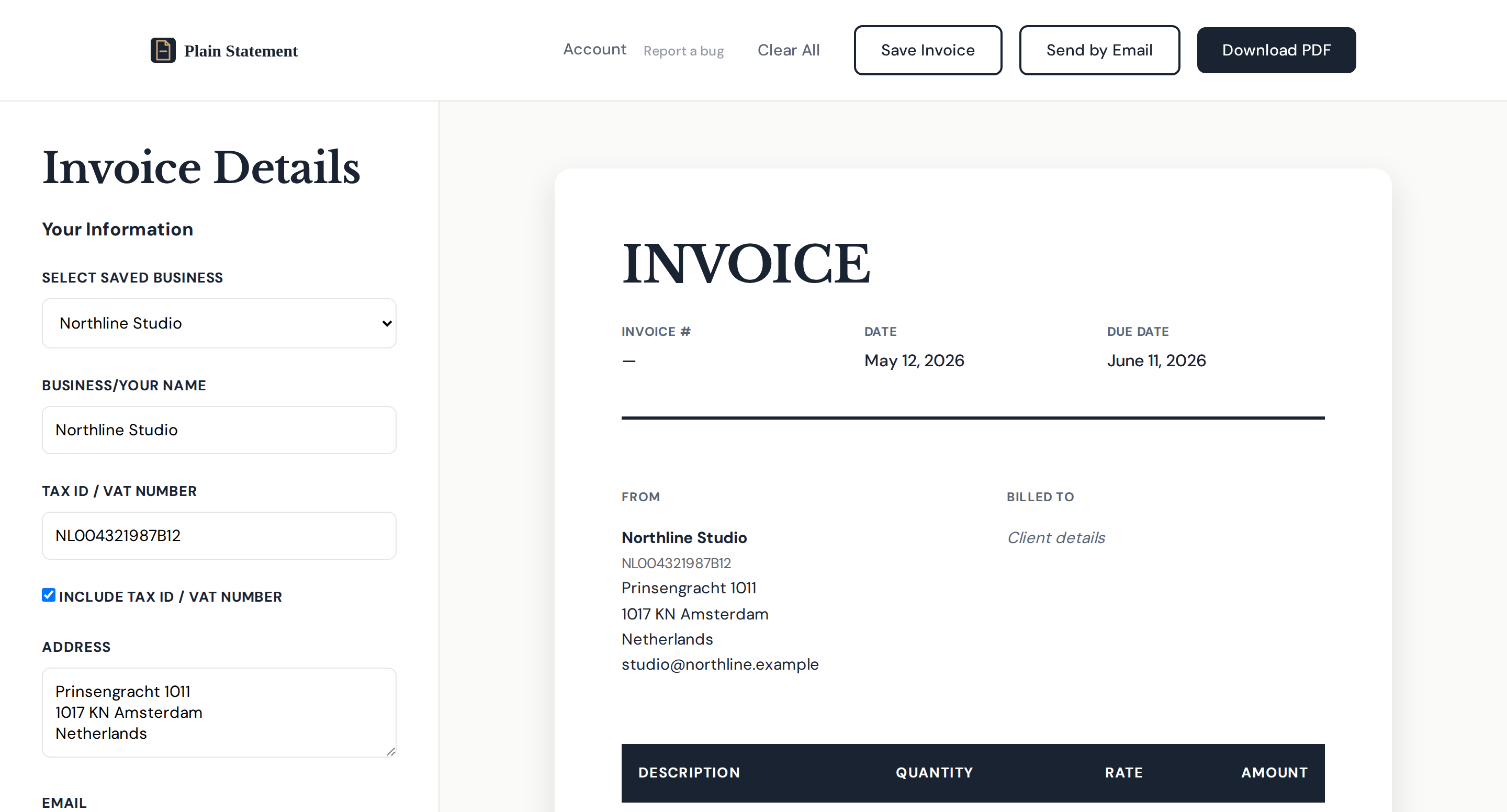
If you've never used Plain Statement before, the first thirty seconds will tell you whether it's for you. Most invoicing software needs ten minutes and an email address to do the same thing.
Decide whether to keep it
For a one-off invoice, the free generator is enough. The moment you find yourself invoicing the same person twice — or you want to send by link, take payment online, or keep a tidy record for tax — saving it to an account is the obvious step. Setup takes about a minute and is reversible.
If you skip this step, nothing breaks. You can download invoices forever without an account. The save-to-account path is for people who want the rest of the product to do work for them.
Send it the way that actually gets opened
You have three ways to send an invoice, and the right one is rarely "PDF attached to an email."
- Private link — Plain Statement gives each invoice a tokenised URL. Paste it into your own email. The recipient lands on a clean Plain Statement page, sees the invoice on any device, and pays in a click. You see when they opened it. If the deal goes cold, revoke the link.
- Email from your account — Plain Statement sends the email for you, from a deliverable domain. Faster than typing one yourself, and it gets out of the spam folder problem that hits PDF attachments.
- Download the PDF — print it, post it, attach it to your own email. The PDF works offline forever.
If the document is a quote rather than an invoice, the same options apply — and the recipient can hit Accept or Decline directly on the page, which feeds the status back to your dashboard.
See where you stand without doing the maths
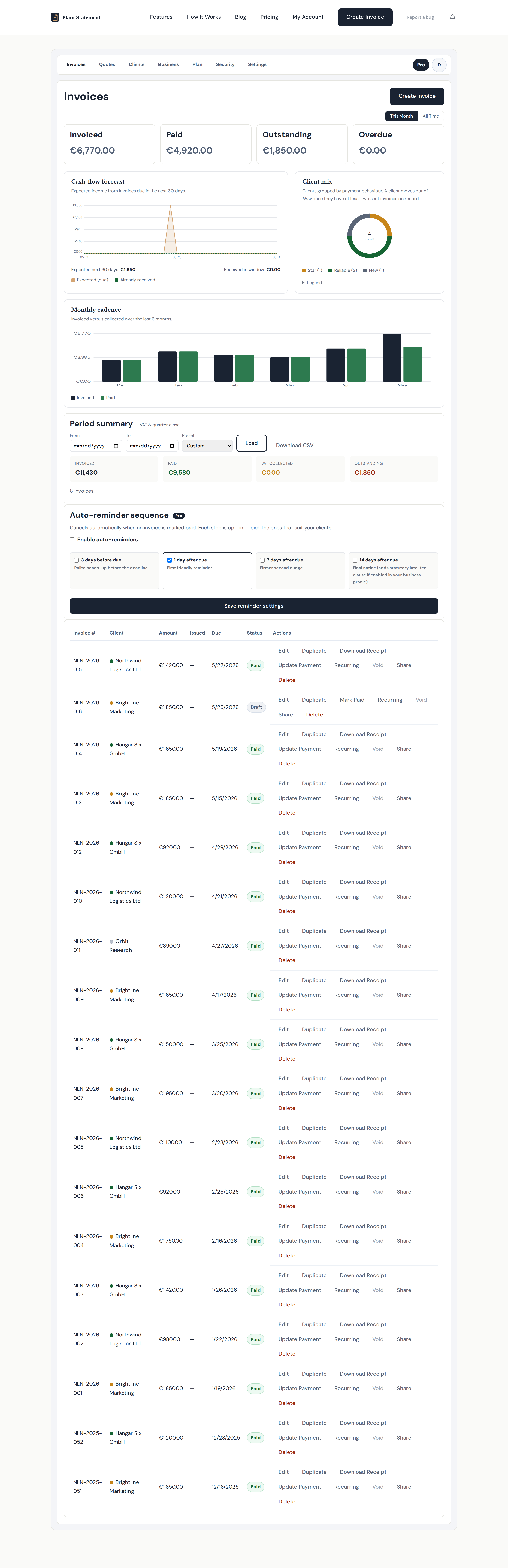
The dashboard does the awkward calculation you'd otherwise do on a Sunday evening. How much was invoiced this month. How much has been paid. How much is outstanding. How much is overdue. Which clients are reliably slow.
On top of that, Plain Statement projects the cash you can expect in the next 30 days, based on what's due and what tends to actually arrive on time. That number is more useful than any individual invoice — it tells you whether next month's fixed costs are covered.
Get paid without the awkward chase
Reminders are the single most demoralising part of freelancing — and the single most under-used feature in most invoicing software. Plain Statement defaults to a sequence that works: a polite first nudge a few days after due, a firmer second a week later, and a formal third with the late-fee notice.
On Basic, you trigger reminders with one click. On Pro, they go out automatically on the schedule you set, and stop the moment the invoice is marked paid. Either way, the text is professional, easy to edit, and signed in your name — not in some generic billing-bot voice that makes your business look smaller than it is.
Stay audit-ready without thinking about it
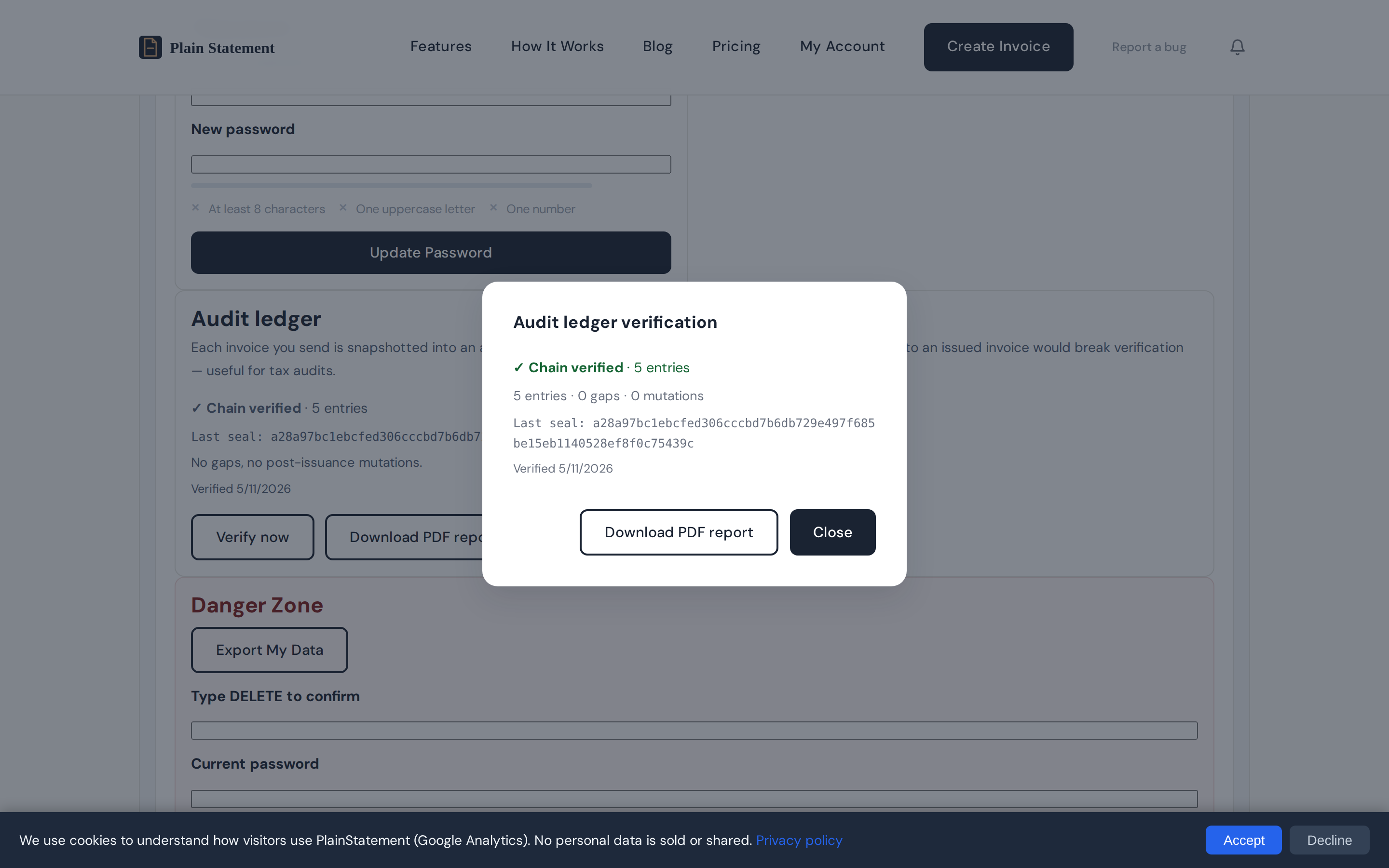
Every invoice you send is locked the moment it leaves your account, snapshotted into a chain that can be checked end-to-end. The integrity check runs in the background; you'll see a green badge in your dashboard and not much else.
The day a tax authority asks why a total looks one way in the books and another way on the bank statement, the answer is one file — the audit pack. They can verify it themselves; you don't have to trust Plain Statement, the math does the trusting. How the audit ledger works.
Two ways through Plain Statement
Most people pick one of these two paths and stay there for a long time. Both are fine. The right one is whichever matches how much of your week is invoicing.
€0 — Free
The one-off path
You need an invoice today. You don't want an account, an email confirmation, or a follow-up sales drip. You open the generator, build the invoice, hit download, and never think about Plain Statement again until next time.
This is the right path for occasional invoicing — a side project, a one-time consulting gig, a favour for a friend that needs paper. It stays free forever.
€5/month — Freelancer, or €35 once — Business
The running-a-business path
You invoice regularly. You want the dashboard, the reminders, the share links, the EU VAT compliance, the audit ledger. You're tired of pasting client details into a template every week.
This is the right path for freelancers, consultants, small agencies, and anyone whose income depends on getting paid on time. Both paid plans unlock the same feature set — automatic reminders, recurring invoices, share links, EU VAT validation and the audit ledger. Freelancer bills monthly; Business is a single payment for lifetime access.
Frequently asked, before signing up
How long does it actually take to send the first invoice?
From opening the page to a downloaded PDF: under two minutes, if you have your business details and the client info to hand. Most people are closer to a minute once they've done it once.
Do I need an account to use the generator?
No. The free invoice generator works without an account, without an email address, without anything. Your data stays in your browser. Saving to an account is optional and exists for people who want history, share links, reminders, and the rest.
Can I import my existing clients?
Yes. With an account, past recipients from invoices you've already created can be imported into the client book in bulk. You don't have to retype anyone.
What happens if I cancel?
The invoices and audit pack you've built stay yours — Plain Statement isn't going to hold your records hostage. The free invoice generator is always available to create new ones, no account required.
Is there a free trial of Basic or Pro?
The free generator is the trial. It's the same UI as the paid plans, with the saving and sending features off. If you like how the generator feels, the paid plans feel the same — just with more of the work done for you.